
Budget tablet cases 2026 can be genuinely protective, but only if you match the case style to how you use your tablet, not to whatever has the most stars.
If you’ve ever watched a “protective” case pop off on impact, you already know the problem: lots of low-cost options look rugged online, then fail at the corners, the stand hinge, or the screen lip in real life. The good news is protection isn’t always expensive, it’s usually about construction, fit, and a few specific details.
This guide narrows your choices without pretending there’s one perfect cover for everyone. You’ll get a quick comparison table, a self-check list, and shopping rules that help you buy once and move on.
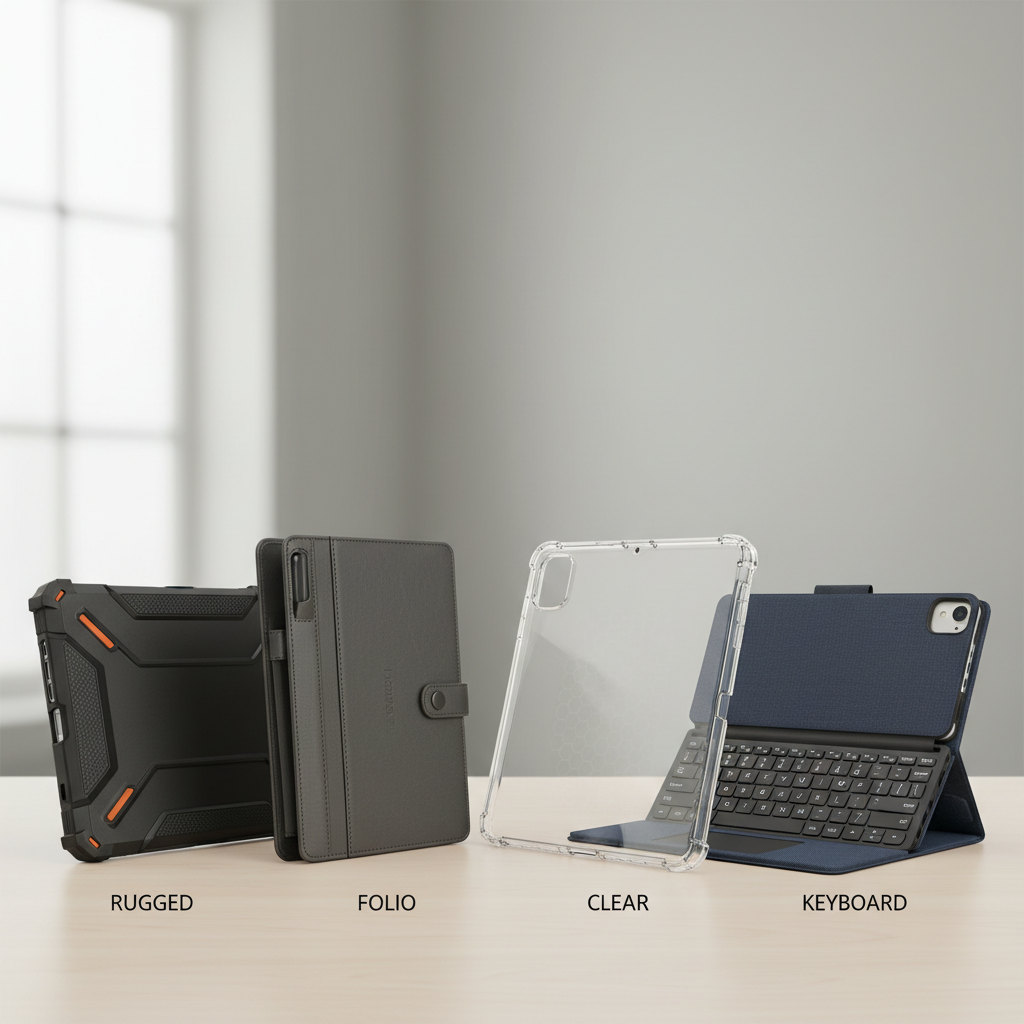
Quick comparison: common case types and what they protect
Most people shop by brand name, but you’ll get better results by picking the case type that fits your risk: drops, travel, kids, stylus use, or lots of typing. Here’s the practical breakdown.
| Case type | Typical protection | Best for | Watch-outs |
|---|---|---|---|
| Rugged bumper + back | High corner drop protection | Commutes, job sites, clumsy desks | Added bulk, can trap heat |
| Folio cover | Good scratch protection, moderate drops | Bags, classrooms, cafes | Stand hinges wear, corners may be exposed |
| Clear TPU/silicone | Light drop + scuff protection | Home use, low-drop environments | Yellowing over time, weak corner shock absorption |
| Keyboard case | Variable, often decent front coverage | Students, travel writing, work notes | Weight, hinge fatigue, trackpad lag on cheap models |
| Kids case (foam) | Good impact absorption, great grip | Small hands, family tablets | Screen edge exposure, awkward stands |
What “protective” really means at a budget price
Price cuts usually show up in the same places: weaker materials, sloppy fit, and hinges that get wobbly fast. If you know where corners get cut, you can avoid the worst offenders.
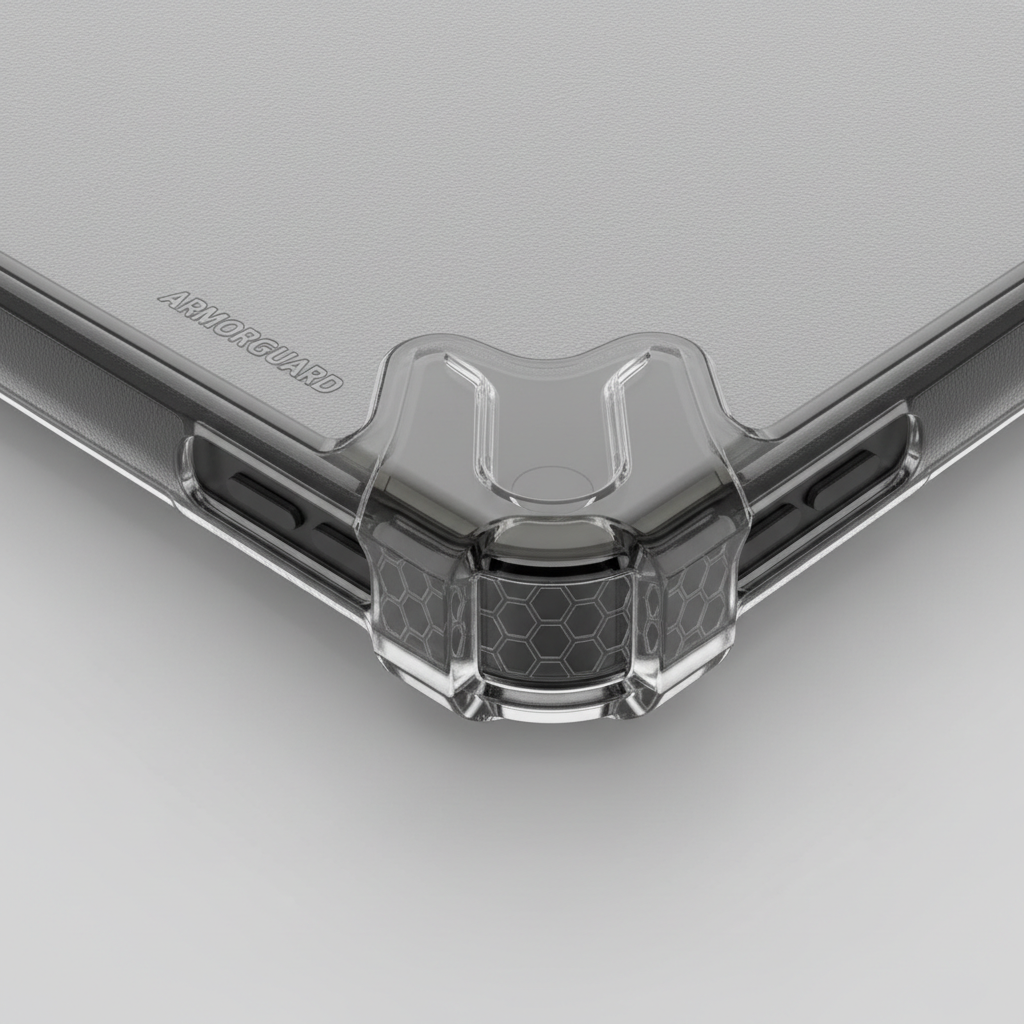
- Corner engineering matters more than thick backs. Look for reinforced corners or air-pocket style bumpers, because corners take the hit in most real drops.
- A raised screen lip is non-negotiable. A small bezel ridge helps keep the glass from contacting the floor on a face-down drop.
- Rigid shell + soft bumper is a solid combo. Polycarbonate (hard) with TPU (soft) often performs better than “one-material” cheap shells.
- Cutouts should be precise. Sloppy cutouts can stress buttons, block speakers, and make charging annoying, which is how people stop using the case.
Also, don’t ignore daily friction. A case that feels slippery, blocks your pencil charging, or makes volume buttons mushy usually ends up off the tablet, and protection drops to zero.
Self-check: which budget case is likely to work for you?
This quick checklist is the fastest way to filter the noise. Answer honestly, then pick the matching case category.
- My tablet rides in a backpack/purse daily: folio or keyboard case with a stable cover and decent edge coverage.
- I use it on the couch/bed and it slips a lot: bumper or grippy TPU with a raised lip.
- Kids touch it more than I do: foam kids case, ideally with thicker corners and an easy carry handle.
- I take notes with a stylus: folio with a pencil channel, or bumper with a dedicated stylus holder.
- I need it to stand up on a tray table: folio or keyboard case with a wide, low-angle stand.
- I’m rough on gear at work: rugged bumper, and consider a screen protector too.
Buying rules for budget tablet cases in 2026 (the stuff that saves money)
If you only remember a few things, make it these. They keep you away from cases that look fine in photos and fail in week three.
- Match the exact model number. “iPad 10th gen” vs “iPad Air” is not close enough, and off-by-one fit issues can weaken corner coverage.
- Prioritize corners, then the screen edge. That’s where protection actually happens during drops.
- Check stand design like you check a chair. Wide base, multiple angles, and a hinge that doesn’t rely on thin fabric alone.
- Look for return-friendly listings. Budget cases are inconsistent, so easy returns are part of your “feature set.”
- Don’t overpay for “military grade” phrasing. Marketing language varies a lot; focus on physical features you can see.
According to the Federal Trade Commission (FTC), shoppers should watch for misleading advertising claims and consider the full context of product descriptions and reviews. That’s a good reminder here: treat bold labels as clues, not proof.
Best budget picks by scenario (what to look for, not a single brand)
For budget tablet cases 2026, the most reliable approach is picking the right build for your use case. Here are common scenarios and the feature set that tends to hold up.
1) Daily carry and school use
- Go for: folio with a firm front cover, microfiber lining, and a snap/elastic closure.
- Why: covers protect from keys, zippers, and bag grit, which is the silent screen killer.
- Skip: super-thin magnet-only covers if your backpack gets tossed around.
2) Frequent drops at home (couch, kitchen, bedside)
- Go for: TPU bumper with reinforced corners, raised bezel, textured sides.
- Why: grip and corners do most of the work, even without a bulky build.
- Skip: hard plastic shells with sharp edges that can crack on impact.
3) Travel and tablet-as-a-laptop
- Go for: keyboard case with a sturdy hinge, plus edge protection around ports.
- Why: you’re moving more, using trays, and shifting angles constantly.
- Skip: ultra-cheap hinges that wobble; they get worse fast.
4) Kids and family tablets
- Go for: thick foam case, preferably with corner bump-outs and a handle that doubles as a stand.
- Why: foam absorbs chaotic impacts, and the handle reduces drops in the first place.
- Skip: cases that leave the screen edge flush or exposed.
Practical setup: how to maximize protection in 10 minutes
A case helps, but a small setup routine makes it work as intended, especially for cheaper builds.
- Clean before install: wipe edges and camera bump area so the case seats fully, partial fit reduces drop protection.
- Check button feel: press volume and power a few times, if it sticks, exchange it rather than “hoping it breaks in.”
- Test the stand: set it at your main angle and tap the screen a few times, if it collapses now, it will collapse later.
- Consider a screen protector: not mandatory for everyone, but it helps against scratches and minor impacts; installation mistakes happen, so go slow.

Common mistakes that make a “protective” case fail
- Buying for the wrong generation: camera cutouts and button positions shift, even when screen size looks similar.
- Ignoring corner exposure: some folios look premium yet leave corners barely covered, that’s a weak point.
- Chasing the thinnest option: thin can be great, but many thin cases remove the raised bezel that prevents face-down contact.
- Assuming water protection: most cases aren’t waterproof; if you need that, look for dedicated water-resistant enclosures and read limitations carefully.
According to Apple, accessories and third-party products should be compatible with the specific device model to avoid fit and performance issues. Even if you’re not buying Apple-branded cases, the model-specific point still holds.
When it’s worth upgrading beyond “budget”
Sometimes saving $15 costs you more later. Consider stepping up if any of these sound like you.
- You replace cases often: a sturdier hinge or better materials may be cheaper over a year.
- Your tablet is used for paid work: downtime costs money, so reliability matters more than the upfront price.
- You need specialty protection: medical, industrial, or outdoor use may require certified enclosures; requirements vary, and it can be smart to consult your workplace IT or safety lead.
Conclusion: what to buy, depending on your risk
If you want budget tablet cases 2026 that actually protect, start with the drop risk you live with, then buy the case type that addresses it, and finally verify fit and corner coverage. For most people, a well-built folio or a TPU bumper with reinforced corners hits the sweet spot.
Your next move is simple: check your exact tablet model, pick one case style that matches your day-to-day, and only then compare listings. That order saves time, and it cuts down on returns.
FAQ
What are the most protective budget tablet cases in 2026?
In many situations, a rugged bumper with reinforced corners protects best for the money, because it targets the most common impact points. If you also need scratch protection in a bag, add a folio-style cover or choose a hybrid with a front flap.
Is a folio case enough for drops?
It can be, especially for low-to-moderate drops, but it depends on corner coverage and how the shell is built. If the folio leaves corners exposed or the shell feels brittle, you’re probably better with a bumper or a hybrid build.
Do cheap clear cases protect tablets well?
They’re usually fine for scuffs and light bumps, but they often underperform on corner impacts. If your tablet falls off couches or counters, a reinforced bumper is a safer bet.
Should I get a screen protector with a budget case?
If your tablet goes in bags, gets used around kids, or sees a lot of travel, a screen protector is often worth considering. It won’t make the device “drop-proof,” but it can reduce scratch risk and help with minor impacts.
How do I know a case will fit my iPad or Galaxy Tab model?
Use the exact model identifier from your tablet settings or the back label, then match it to the listing compatibility section. If the seller only lists “10-inch tablet” without model details, fit can be a gamble.
Are keyboard cases protective or just convenient?
Some protect well, others are basically a typing accessory with minimal drop protection. Look for edge coverage, a firm shell, and a hinge that holds angles without wobble, then assume it will be heavier than a folio.
What features matter most for kids’ tablet cases?
Grip and impact absorption usually beat everything else. Thick foam, a handle, and stable stand positions reduce drops in the first place, and that’s often more valuable than a sleek look.
If you’re trying to narrow down budget tablet cases 2026 for a specific model and use case, it can help to start with your top two priorities, like “bag scratches + stand stability” or “kid-proof + easy to clean,” then shortlist cases that clearly show corner design and screen lip in photos.