
Tech solutions are most useful when they reduce friction: fewer outages, faster work, safer data, and systems that actually talk to each other.
If you run a U.S. business, you’ve probably seen the pattern: one urgent ticket turns into a backlog, vendors blame each other, and “modernization” feels like a big-bang project you can’t pause the company for. The good news is most upgrades don’t require a total rebuild; they require better sequencing and clearer ownership.
This article breaks modernization into practical moves you can take in 30, 60, and 90 days, with real-world guardrails: what to prioritize, what to avoid, and when to bring in information technology services or managed IT services to keep momentum without ballooning cost.
Start with a modernization baseline (so you stop guessing)
Before you buy anything, set a baseline that makes decisions obvious. Many teams skip this, then end up “fixing” the loudest complaint rather than the biggest risk or cost.

What to capture in 1–2 weeks (lightweight, but specific):
- Inventory: key apps, servers, endpoints, network gear, cloud accounts, and “shadow IT” tools.
- Business-critical workflows: sales handoff, billing, customer support, fulfillment, reporting.
- Risk map: MFA coverage, backups, patching cadence, admin access sprawl.
- Pain cost: hours lost to downtime, manual re-entry, reconciliation, and slow approvals.
According to NIST (National Institute of Standards and Technology), a structured approach to risk management helps organizations prioritize security and resilience based on impact, not gut feel. You don’t need a full audit to benefit from that mindset; you just need a consistent way to rank issues.
Key point: your baseline should produce a short list of “must-fix” items and a longer list of “nice-to-improve” items, and it should be readable by non-IT leadership.
Pick the right delivery model: in-house, co-managed, or fully managed
Modernization often stalls because ownership stays fuzzy. If everyone is “helping,” nobody is accountable. This is where choosing between in-house support, co-managed help, or fully managed support becomes practical—not philosophical.
Here’s a quick comparison you can use in a leadership meeting:
| Model | Best fit | Trade-offs to watch |
|---|---|---|
| In-house IT | Stable environment, strong internal expertise, predictable tech stack | Coverage gaps, hiring delays, limited specialty depth |
| Co-managed IT | You have internal IT but need extra capacity or specialty skills | Requires clear roles, shared tooling, tight escalation rules |
| Managed IT services | Lean teams, fast growth, multi-site ops, compliance pressure | Vendor fit matters, contract scope can hide exclusions |
In many cases, information technology services work best as a “capability layer”: monitoring, patching, backups, endpoint management, and escalation coverage—while your internal team stays focused on business alignment and roadmap decisions.
Modernize your core stack: cloud, apps, and infrastructure—without chaos
The fastest wins usually come from tightening the foundation: identity, device management, backups, and where your core systems run. Not everything belongs in the cloud, but cloud computing services can reduce maintenance load when the migration is scoped correctly.

Practical sequencing that tends to work in real environments:
- Identity first: enforce MFA, reduce shared accounts, tighten admin roles.
- Backups and recovery: test restores, not just backup “success” reports.
- Endpoint and patching: consistent device policies reduce surprise incidents.
- Move workloads selectively: start with collaboration, file sharing, dev/test, then evaluate line-of-business apps.
For companies with older systems, IT infrastructure support is often the quiet hero: stable networks, predictable Wi‑Fi, clean DNS/DHCP, and updated firmware. It’s not glamorous, but it prevents “random” issues that drain teams.
If you need custom capabilities, enterprise software development is usually most valuable when it replaces manual handoffs or brittle spreadsheets, not when it tries to rebuild mature commodity tools.
Security as a modernization accelerator (not a brake)
Security projects fail when they’re framed as “more controls.” They succeed when they reduce business risk and reduce firefighting. That’s why modern cybersecurity solutions should line up with your baseline and your operational reality.
According to CISA (Cybersecurity and Infrastructure Security Agency), fundamentals like MFA, timely patching, and resilient backups play a major role in reducing common attack paths. That matches what many IT teams see on the ground: basics done consistently beat fancy tools used inconsistently.
Network security services often deliver quick value in these areas:
- Email and identity protection: phishing resistance, conditional access, stronger authentication.
- Endpoint visibility: detection and response to suspicious behavior (not just antivirus).
- Segmentation: keep a single compromised device from reaching everything.
- Incident readiness: clear steps, contacts, and decision rights when something looks wrong.
Security can touch safety and legal exposure, so it’s smart to treat this as risk management, not a checklist. If you operate in regulated spaces, consider consulting a qualified security professional for scoping and compliance interpretation.
Automate the work that silently costs you margin
A lot of “digital transformation” talk misses the obvious: teams still copy-paste between systems because the process design never got revisited. Business process automation is where many mid-market companies feel ROI fastest, especially in finance ops, customer support, and fulfillment.
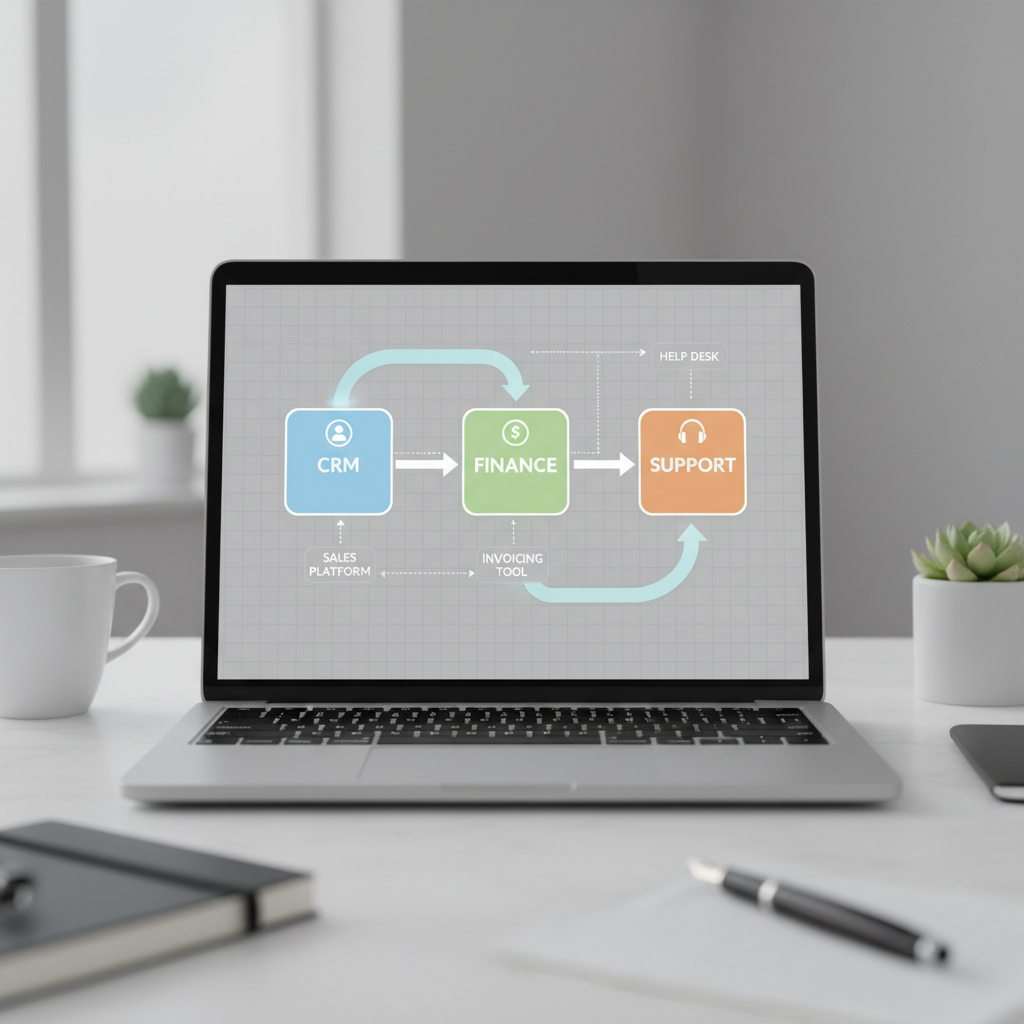
Good automation candidates usually look like this:
- High volume, low judgment steps (routing, notifications, status updates).
- Repetitive data entry across two or more systems.
- Approvals that stall because no one knows “who owns the next step.”
- Reporting that requires manual cleanup every week.
Reality check: automation fails when you speed up a broken process. Spend time defining inputs, outputs, and exception paths, then automate the stable middle.
Use data analytics to make better calls (not prettier dashboards)
When leaders ask for analytics, they often mean “confidence.” Data analytics consulting can help, but only if you agree on definitions and decision use-cases. Otherwise you’ll get dashboards everyone compliments and nobody uses.
According to NIST, strong data governance practices improve trust and consistency in how information supports decisions. In practice, that means agreeing on a few metrics that drive actions.
Three analytics moves that tend to stick:
- Define 10–15 core metrics: revenue, retention, cycle time, backlog age, SLA performance.
- Standardize definitions: “active customer,” “qualified lead,” “resolved ticket.”
- Build a decision rhythm: weekly ops review, monthly executive review, owners assigned.
If you’re already pursuing digital transformation consulting, ask your partner to tie analytics deliverables to specific decisions, not just “visibility.”
30/60/90-day action plan (what to do next, in order)
If you want momentum, keep the first phase boring and measurable. Flashy projects can wait until the foundation stops wobbling.
Days 1–30: stabilize and reduce risk
- Complete the baseline inventory and workflow map.
- Enforce MFA for privileged accounts, reduce admin sprawl.
- Confirm backups and run at least one restore test.
- Patch critical systems and align endpoint policies.
Days 31–60: improve operations and visibility
- Set ticket categories and SLAs, track repeat issues.
- Standardize onboarding/offboarding, access requests, device provisioning.
- Harden email and identity controls, review external sharing.
- Prioritize 1–2 automation candidates with clear owners.
Days 61–90: modernize selectively
- Choose one workload for a controlled cloud move or refactor.
- Implement a basic KPI set and a review cadence.
- Assess network segmentation and remote access posture.
- Lock the next-quarter roadmap with budget and accountability.
Key takeaways to keep on one slide:
- Don’t modernize everything, modernize what blocks growth and safety.
- Make ownership explicit, tools come second.
- Security basics done consistently beat complex tooling done occasionally.
- Automation and analytics work when tied to decisions and process clarity.
Common pitfalls (the stuff that wastes months)
Most modernization trouble looks like “technical complexity,” but it’s usually decision complexity. A few patterns show up again and again.
- Buying tools before fixing identity and backups: you add surface area without resilience.
- Assuming cloud equals cheaper: unmanaged consumption and duplicated systems can raise spend.
- Ignoring change management: users invent workarounds when training and ownership stay vague.
- Over-customizing: heavy customization increases maintenance and slows future upgrades.
- No exit plan: contracts without documentation and handoff requirements create lock-in.
Conclusion: modernization works when it’s practical
Modernization in the U.S. market rarely rewards the biggest plan; it rewards the clearest plan. When your baseline is honest, your delivery model fits your team, and your roadmap favors stability first, tech solutions stop feeling like a gamble and start feeling like controlled progress.
If you want one next step, pick two outcomes for the next 90 days, for example “restore-ready backups” and “one workflow automated,” then assign owners and dates. That small discipline is what makes the bigger upgrades possible.
If you need a more hands-on path, consider a partner who can combine day-to-day support with roadmap work, so your team can keep operating while you modernize.