
How to use ai summarizer tools for long articles comes down to one thing: giving the tool the right input and then verifying the output like an editor, not a spectator. When people feel “AI summaries are shallow,” it’s usually because they pasted a huge wall of text, accepted the first result, and moved on.
Used well, an AI summarizer can save real time on reports, research papers, policy docs, and meeting transcripts. You still do the thinking, but the tool helps you get to the structure faster: what it’s about, what matters, and where to zoom in.

This guide focuses on practical workflow. You’ll learn what to paste (and what not to), how to ask for the summary you actually need, how to spot hallucinations, and how to turn summaries into usable notes.
Pick the right summarizer style for your goal
Not all “summarizers” behave the same. Some are built for short web articles, others can handle long PDFs, and some are really chat assistants that happen to summarize.
Before you choose a tool, decide what you need the output to do. Here’s a quick way to map goal to summary type.
| Use case | Best summary format to request | What to watch for |
|---|---|---|
| Skimming a long article fast | 5–10 bullet key points + 1-paragraph gist | Missing nuance, overconfident tone |
| Studying a research paper | Structured: question, method, findings, limits | Method details invented or oversimplified |
| Preparing a brief for your team | Executive summary + “so what” implications | Implications that aren’t in the source |
| Comparing multiple sources | Side-by-side themes + disagreements | Blending sources, losing attribution |
| Extracting quotes and evidence | Claims with citations (section/page) | Fake citations, wrong page references |
Prepare the article so the tool doesn’t “guess”
If you paste messy text, you often get messy summaries. Many failures aren’t “bad AI,” they’re bad inputs: broken formatting, missing headings, or chunking that cuts a thought in half.
Quick prep checklist (takes 2–5 minutes)
- Remove distractions: delete nav menus, newsletter blocks, unrelated comments.
- Keep structure: preserve headings, subheadings, and numbered sections.
- Capture context: include the intro and conclusion, not only the middle.
- Watch length limits: if the tool has a cap, split by sections and label them.
- Prefer source files when possible: clean PDF/text exports often work better than copy-paste from a cluttered web page.
According to NIST, trustworthy AI work benefits from transparency and careful governance around how systems are used and evaluated. In plain English: treat summaries as drafts that need review, especially for decisions that matter.
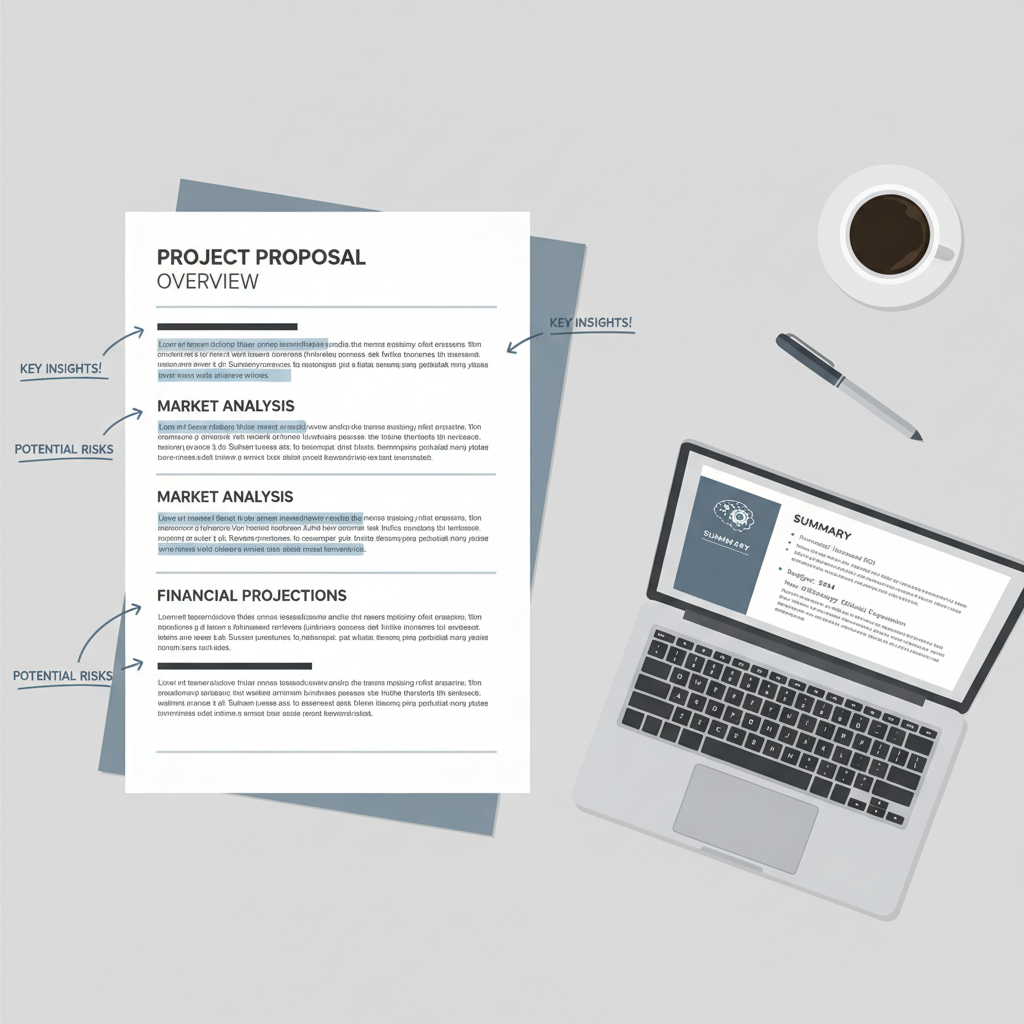
Use prompts that force structure (and reduce fluff)
When people ask a summarizer “Summarize this,” they get a vague blob. You’ll get more dependable results by demanding a format and telling it what to ignore.
Copy-and-use prompt templates
- Fast skim: “Summarize into 8 bullets. Each bullet must be one sentence. Add a one-sentence ‘main takeaway’ at the end.”
- Argument map: “List the thesis, then 3–6 supporting arguments, then any counterarguments mentioned. Quote any key terms exactly.”
- Evidence-only: “Extract claims that are supported by evidence. For each: claim, evidence type (data/example/expert), where it appears (section heading). No opinions.”
- For decision-making: “Write an executive summary for a busy manager: context, recommendation (if any), risks/assumptions, and open questions.”
If you’re learning how to use ai summarizer tools for long articles at work, a helpful habit is to add a constraint: “If the document doesn’t say, write ‘not stated’.” This single line cuts down on confident guessing.
A practical workflow for long articles (the “chunk and stitch” method)
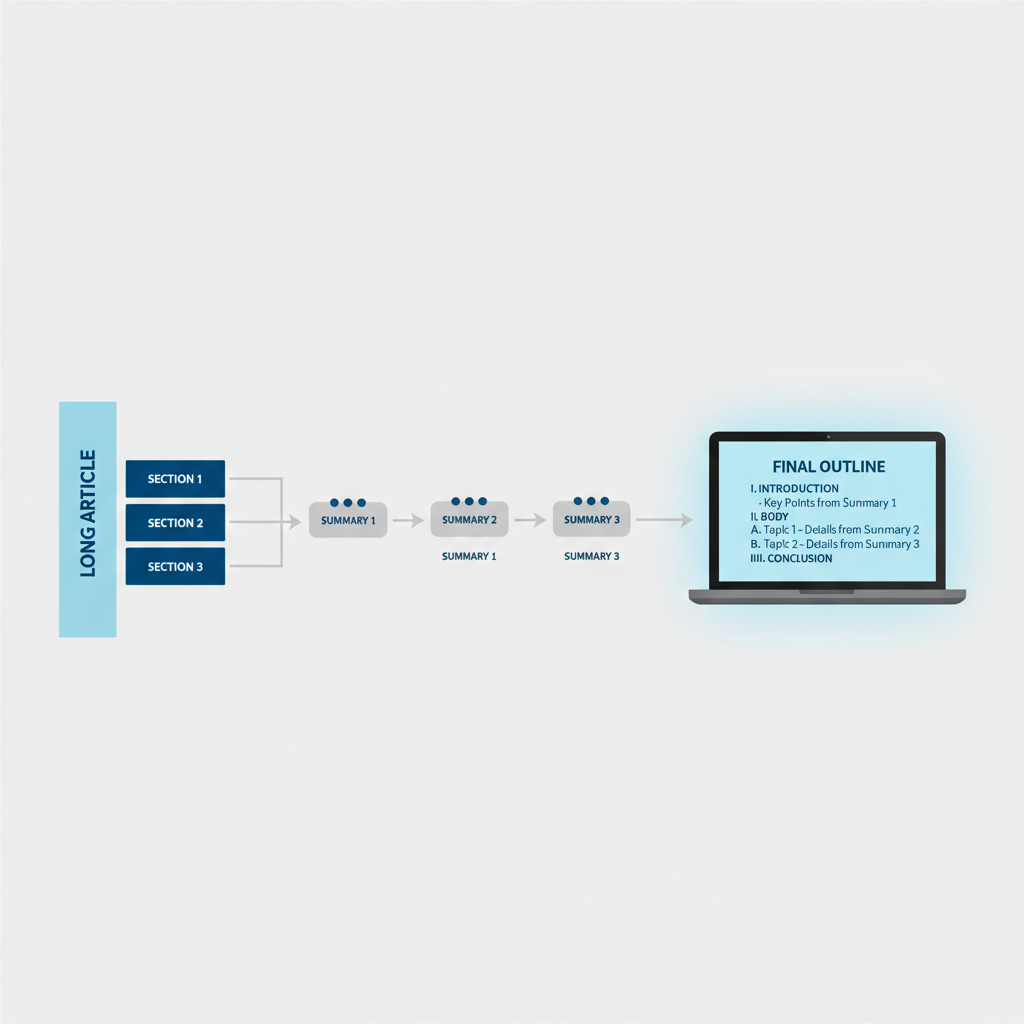
For genuinely long pieces, one-pass summarization can blur details. A more reliable approach is to summarize in chunks, then summarize the summaries. It sounds slower, but it usually reduces rework.
Step-by-step
- Chunk by headings: copy one section at a time, and label it “Section 2: Methods,” etc.
- Request micro-summaries: 3–5 bullets per section, plus “key terms.”
- Stitch: paste all micro-summaries and ask for a top-level outline (not a rewrite).
- Finalize for your use: ask for an executive summary, study notes, or talking points.
This is also where you can ask for what’s missing: “List questions this section raises but does not answer.” In many cases, that’s more valuable than another paraphrase.
Quality control: how to verify a summary without rereading everything
Summaries feel convincing even when they’re wrong, so you need a lightweight checking routine. According to FTC guidance on AI-related claims, businesses should avoid deceptive or unsubstantiated statements. For your workflow, that translates to: don’t repeat a summary as fact until you’ve checked it.
A quick “trust but verify” checklist
- Spot-check 3 claims: pick one early, one mid, one late, and find them in the source.
- Confirm numbers and names: dates, totals, study sizes, organizations, bill numbers.
- Look for missing qualifiers: “may,” “suggests,” “correlates,” “in this sample.” AI often drops these.
- Mark assumptions: anything that sounds like advice or prediction should be flagged as interpretation.
- Request corrections: paste the exact passage and ask the tool to revise only that bullet.
If the document is legal, medical, or financial, treat AI output as a starting point only. In those scenarios, it’s usually smarter to consult a qualified professional rather than rely on a generated summary.
Turn summaries into something you can actually use
A summary that sits in a chat window doesn’t help much. The real win is converting it into an artifact: notes, an outline, a brief, or a reading log you can reuse.
Useful outputs to ask for
- Actionable notes: “Convert this into a checklist I can follow next week.”
- Meeting talking points: “Create 6 discussion prompts, each tied to a key claim.”
- Learning notes: “Create flashcards: term on front, definition + example on back.”
- Content repurposing: “Write a 150-word LinkedIn recap and 5 headline options, staying faithful to the source.”
When you’re practicing how to use ai summarizer tools for long articles, save your best prompts. Most people don’t need a new tool, they need a repeatable prompt library.
Common mistakes that make AI summaries feel “bad”
A few patterns show up again and again, especially for long-form pieces.
- Over-summarizing too early: asking for a 3-bullet summary of a 40-page report can flatten what matters.
- No audience defined: a summary for a student looks different from one for a VP; tell the tool who it’s for.
- Confusing compression with comprehension: shorter isn’t always clearer; sometimes you want an outline first.
- Not asking for uncertainty: add “flag ambiguous claims” or you’ll get false confidence.
- Skipping attribution: if you need to cite, request quotes and section headings, not paraphrase only.
Key takeaways
- Better inputs beat better tools: clean sections and preserved headings usually improve results.
- Force structure: ask for bullets, outlines, and “not stated” instead of open-ended summaries.
- Chunk and stitch for long reads: section summaries, then a summary of summaries.
- Verify lightly but consistently: spot-check claims, especially numbers and qualifiers.
- Convert output into assets: briefs, study notes, prompts, and checklists you can reuse.
Conclusion: get faster without trusting blindly
If you want speed and accuracy, treat summarizers like junior assistants: great at first passes, not responsible for the final call. Start with a structured prompt, summarize in chunks when the article is truly long, then do a small verification pass before you share anything.
If you do one thing today, build a two-prompt routine: a section micro-summary prompt and a final executive-summary prompt. That’s usually enough to make AI summarization feel consistently useful.
FAQ
What’s the best way to summarize a 30-page article with an AI tool?
Split it by headings, summarize each section into a few bullets, then ask the tool to build a top-level outline from those bullets. This avoids losing key details and makes it easier to verify.
How do I know if an AI summary is accurate?
Don’t try to verify everything. Spot-check a handful of specific claims, especially numbers, proper names, and any strong conclusions, then correct only the parts that fail the check.
Can I use AI summaries for academic research?
Often yes for orientation and note-taking, but you still need to read the original sections you plan to cite. If you must be precise, ask for section-based summaries and direct quotes with locations.
Why do AI summarizers sometimes miss the main point?
Long texts can exceed internal limits, or the input may be messy. Another common cause is a vague prompt. Asking for an argument map or “thesis + supporting points” usually fixes this.
Is it safe to paste confidential documents into an AI summarizer?
It depends on the tool and your organization’s policy. Many workplaces restrict sharing sensitive data with third-party services, so check your vendor settings and internal guidelines before uploading.
How should I summarize a long article for a busy manager?
Request an executive summary with context, key decisions, risks, and open questions. Managers usually want implications and constraints, not a paragraph-by-paragraph recap.
What prompt helps reduce “AI hallucinations” in summaries?
Add constraints like “If it’s not in the text, write ‘not stated’,” and request section-labeled bullets. You can also ask it to separate “what the author claims” from “what is proven.”
If you’re trying to process long readings every week and you want a more consistent system, it may help to set up a small prompt library and a repeatable template for briefs or study notes, so the summarizer output lands directly in a format you can reuse.