
AI Agent is a software system that can plan, decide, and take actions toward a goal, often by calling tools and coordinating steps rather than only generating text.
If you have ever watched a chatbot answer perfectly but still not “do” anything, this is the gap AI agents try to close. In practice, teams use them to turn requests into workflows: look up data, update systems, trigger approvals, send messages, and keep track of what happened.
This matters because modern work is full of small handoffs, tabs, and copy-paste steps that create delays and errors. A well-scoped agent can remove some of that friction, but only if you understand how it thinks, what it can safely automate, and where humans still need to stay in control.
Below, you will get a practical definition, a clear breakdown of agent components, a quick self-check for whether you need one, and implementation advice that avoids common “agent hype” mistakes.
What an AI Agent is (and what it is not)
An AI agent combines a reasoning layer with execution. Instead of stopping at a response, it can select actions, use tools, and track progress toward an objective. Many teams describe this as a LLM-powered assistant plus “hands,” meaning integrations that let it actually operate.
What it is not: a magical employee replacement, or a generic chatbot with a longer prompt. When an agent fails, it often fails in predictable ways: missing context, calling the wrong tool, looping, or acting without enough guardrails.
Common agent capabilities you will see in real products
- Goal-driven planning: breaks a request into steps, then executes step by step.
- Tool use: searches, queries databases, triggers APIs, writes tickets, drafts and sends emails with approvals.
- Memory: retains task state and key facts across steps, sometimes across sessions.
- Monitoring and recovery: detects an error, retries, asks clarifying questions, or escalates to a human.
How AI agents work under the hood (simple mental model)
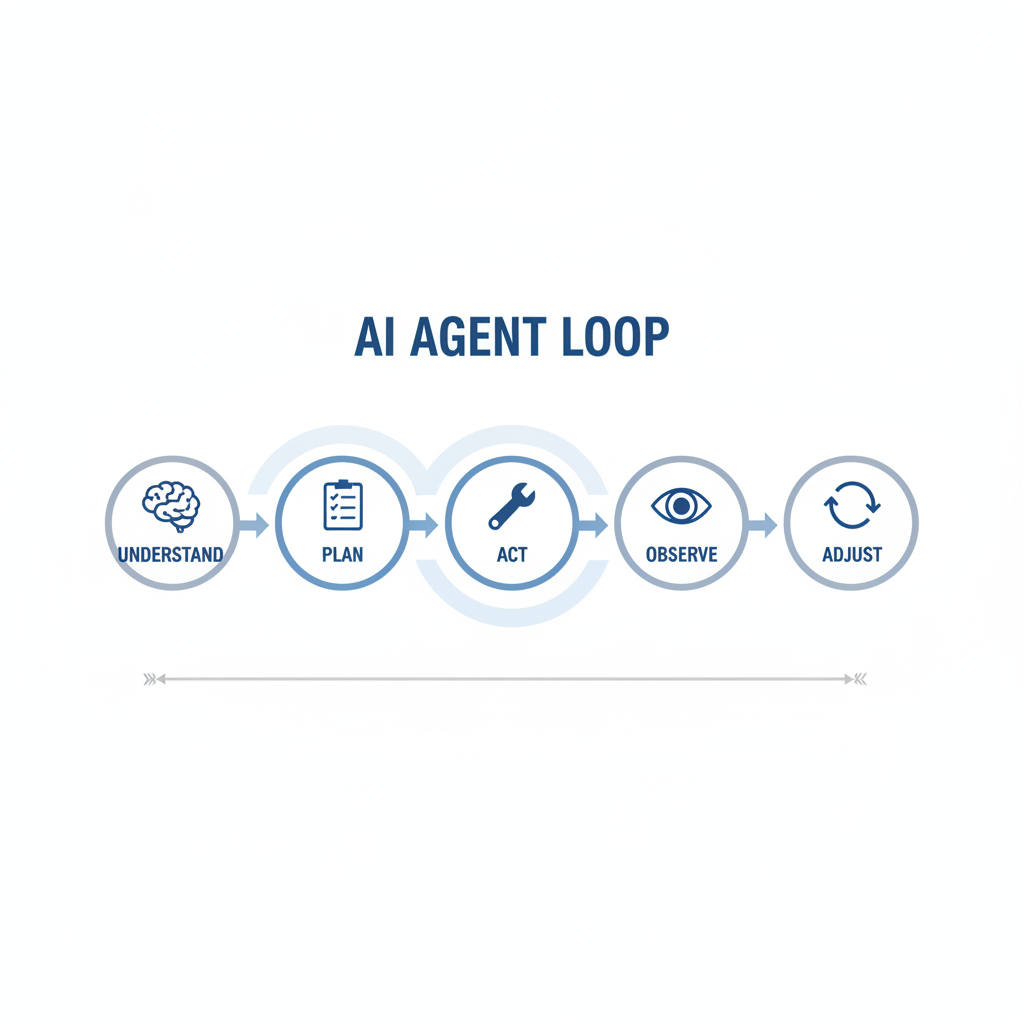
Most implementations follow a loop: understand → plan → act → observe → adjust. The specific architecture varies, but the concepts stay similar across popular agentic AI frameworks.
According to NIST (the U.S. National Institute of Standards and Technology), trustworthy AI requires attention to reliability, safety, privacy, and transparency. In agent terms, that often translates to: limit what the agent can do, log what it did, and make it easy to review or reverse actions.
Key building blocks you should recognize
- AI decision-making engine: usually an LLM plus rules, prompts, and sometimes a policy layer that constrains actions.
- Tools and connectors: the “tool-calling integration” layer, APIs, RPA, database queries, search, ticketing systems.
- State and memory: task context, intermediate results, and what has already been attempted.
- Guardrails: permissions, allowlists, rate limits, PII handling, approval steps, and audit logs.
If you are evaluating an AI agent platform, ask where these pieces live. Some vendors bundle everything, others expect you to bring integrations, vector search, or monitoring.
Single agent vs. multi-agent system: when “more agents” helps
A single agent is often enough for straightforward AI workflow automation, like “triage inbound requests, fill a form, route to the right queue.” A multi-agent system makes sense when tasks naturally split into specialties, or when you want independent checking.
Where multi-agent setups tend to work better
- Research + execution: one agent gathers sources, another drafts, a third checks policy constraints.
- Complex operations: procurement, incident response, or onboarding where steps differ by case.
- Quality control: a reviewer agent challenges assumptions before actions get approved.
The catch: coordination overhead is real. More agents can mean more cost, more latency, and more failure modes. Many teams start with one autonomous AI assistant constrained to a narrow scope, then expand if the benefits are obvious.
Where AI agents deliver value in enterprises
Enterprise AI automation usually pays off when the work is repetitive, rule-informed, and tool-heavy. If your process is mostly judgment calls with low data quality, an agent might still help, but the win looks different: drafting, summarizing, and guiding humans rather than fully automating.
Typical high-ROI use cases
- Support operations: classify tickets, pull account context, propose replies, open/close internal tasks with approvals.
- Sales ops: update CRM fields, schedule follow-ups, generate call summaries, flag missing data.
- IT and security ops: run standard diagnostics, gather logs, create incidents, escalate when confidence is low.
- Finance workflows: invoice matching and exception routing, with strict approval gates.
According to OWASP, LLM-integrated apps introduce security risks such as prompt injection and data exposure. In agent deployments, that warning becomes very concrete: if the agent can call tools, an attacker’s text can become an action unless you add robust controls.
Quick self-check: do you need an AI agent or just a chatbot?
Plenty of teams buy an “agent” when what they really needed was a better knowledge base or a simpler automation. This checklist helps you decide.
- You likely want an AI agent if your task needs 3+ steps, uses multiple systems, and benefits from state tracking.
- You likely want a chatbot if the job ends at answering questions, drafting text, or summarizing documents.
- You likely want classic automation if the rules are stable, inputs are clean, and exceptions are rare.
A practical decision table
| Need | Best fit | Why |
|---|---|---|
| Answer policy or product questions | Chat + retrieval (RAG) | Lowest risk, fast to deploy, easy to audit |
| Execute multi-step tasks across apps | AI Agent with tool calling | Handles planning, state, and intelligent task orchestration |
| Run deterministic workflows | RPA / workflow engine | More predictable, cheaper at scale for stable rules |
| High-stakes decisions (legal/medical/financial) | Human-in-the-loop + assistive AI | Automation may be possible, but oversight is usually required |
Implementation advice: how to build or adopt an agent safely
The most reliable AI agents feel boring in the best way. Narrow scope, clear permissions, visible logs, and graceful failure behavior beat “do everything” demos.

A pragmatic rollout sequence
- Pick one workflow with clear inputs and a measurable outcome, avoid “general assistant” scope.
- Map tools and permissions, define what the agent can read, write, and delete, and what requires approval.
- Design for questions, a good agent asks when data is missing instead of guessing.
- Add checkpoints, human-in-the-loop approvals for irreversible actions, payments, customer-facing sends.
- Instrument everything, logs, traces, and decision rationale summaries for audit and debugging.
- Red-team prompts, test prompt injection, data leakage, and “tool misuse” scenarios before production.
Key takeaways teams often miss
- Tooling beats prompting: reliability usually improves more from better integrations and validation than from clever prompts.
- Data boundaries matter: if the agent can see sensitive data, assume it can accidentally surface it unless constrained.
- Fallback paths are product features: escalation to humans, partial completion, and safe stop conditions keep trust intact.
Common pitfalls and how to avoid them
Most agent projects fail in familiar ways. The fix is not “more intelligence,” it is better system design.
- Over-automation too early: start with draft-and-approve, then automate only the steps that behave consistently.
- Unclear ownership: someone must own prompts, policies, and tool permissions like production code.
- No evaluation plan: define success metrics, error categories, and a review process for misfires.
- Ignoring edge cases: build explicit handling for timeouts, missing fields, conflicting records, and duplicates.
For regulated industries, you may need additional reviews for privacy, retention, and model governance. That is normal, and it often determines whether the project survives beyond pilot.
Practical next steps you can take this week
If you want to move from curiosity to something usable, keep the first build small and testable.
- Write one “job story”: “When X happens, I want the system to do Y, so that Z.”
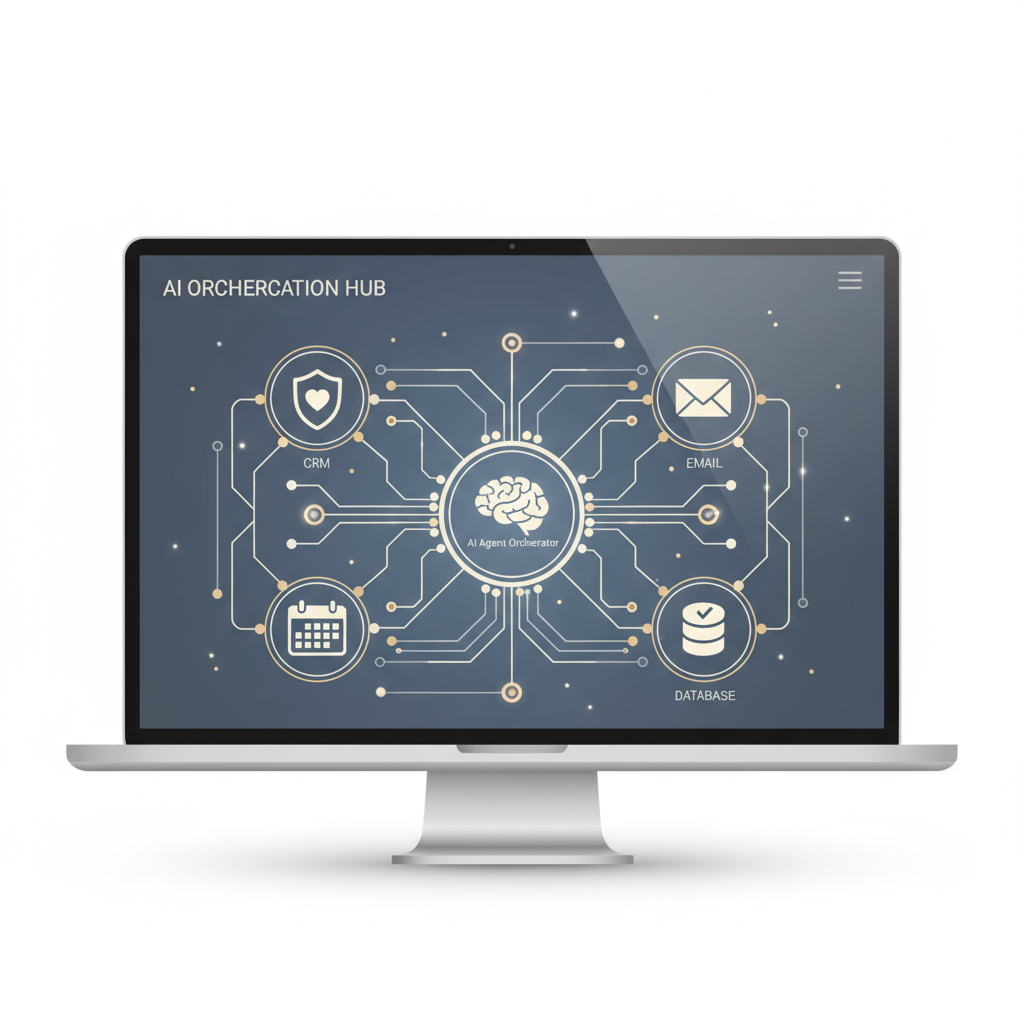
- List tools the agent must call: CRM update, ticket creation, database lookup, messaging, calendar.
- Define stop rules: when to ask a question, when to escalate, what actions require approval.
- Create a simple eval set: 20–50 real cases with expected outcomes, then iterate.
If you do this well, your first AI agent will not feel like a science project. It will feel like a quiet operations upgrade that people notice because work stops slipping through the cracks.
Conclusion
An AI agent earns its name when it can translate intent into action: plan steps, call tools, and manage state with guardrails. If your goal is measurable enterprise AI automation, focus less on flashy demos and more on permissions, logging, evaluations, and human approvals where they make sense.
Action idea: pick one workflow where delays come from tool switching, then prototype a constrained agent that can only do three things, read context, propose a plan, and execute with approval. That path usually beats trying to automate the whole department.
Key points to remember
- AI Agent = reasoning + tool use + state, not just chat.
- Multi-agent systems can help, but only when coordination is worth it.
- Reliability comes from design: validations, guardrails, logging, and reviews.